01
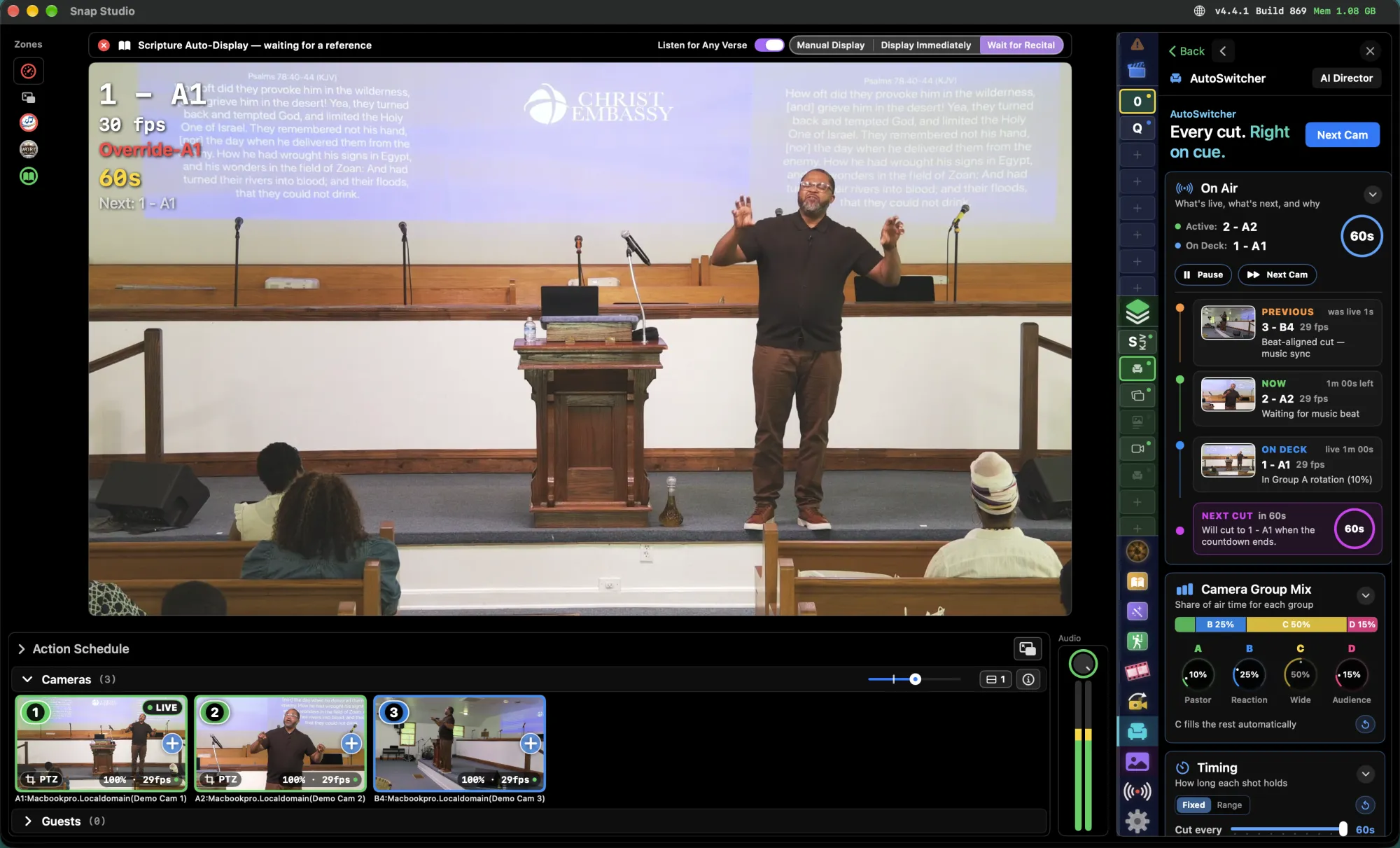
Switches cameras for you
The AutoSwitcher shows what is live, what is on deck and why, then cuts on its own. Stage Zones watch who is standing where and skip empty shots, so a volunteer can run a full multi‑camera service.
2026 Rankings · 8 apps compared
The best live video production software of 2026, ranked by who it is really for.
$299.00 one‑time
2 Power User$60–$1,200 one‑time, or MAX $50/month
3 Best BudgetFree, open source
4 Cross‑PlatformSubscription
5 HardwareFree software; ATEM Mini Pro hardware $445
6 Solo Creators$192–$384/year
7 GraphicsFree with watermark; subscription to remove it
8 Remote GuestsFree; paid plans $18.99–$88.99/month
#1 Top Pick · 5.0 / 5
Professional multi-camera production your volunteers can run.
The AutoSwitcher shows what is live, what is on deck and why, then cuts on its own. Stage Zones watch who is standing where and skip empty shots, so a volunteer can run a full multi‑camera service.
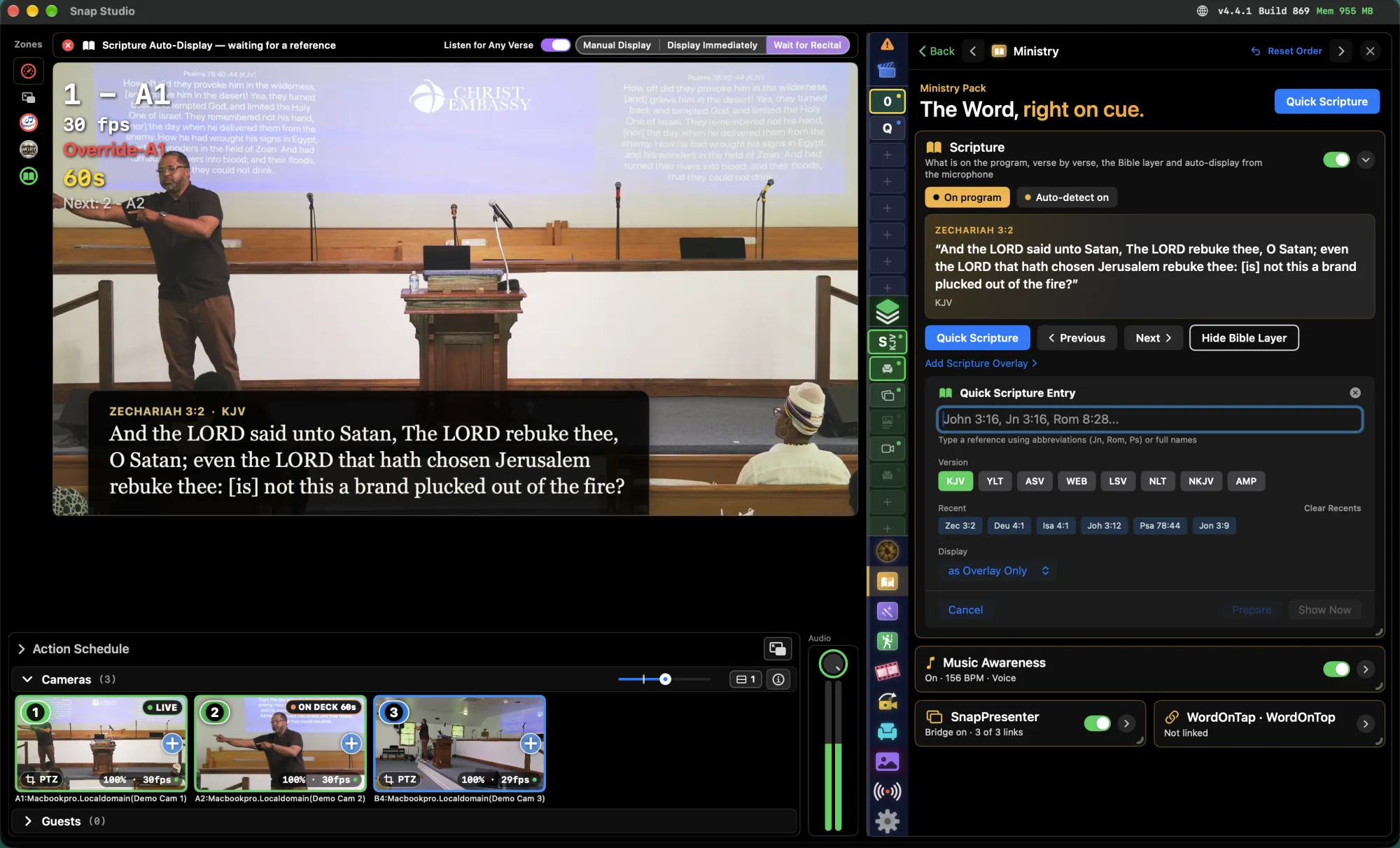
The Ministry pack listens for a spoken verse and puts it on the program, with a Quick Scripture box for typing a reference in any of several translations.
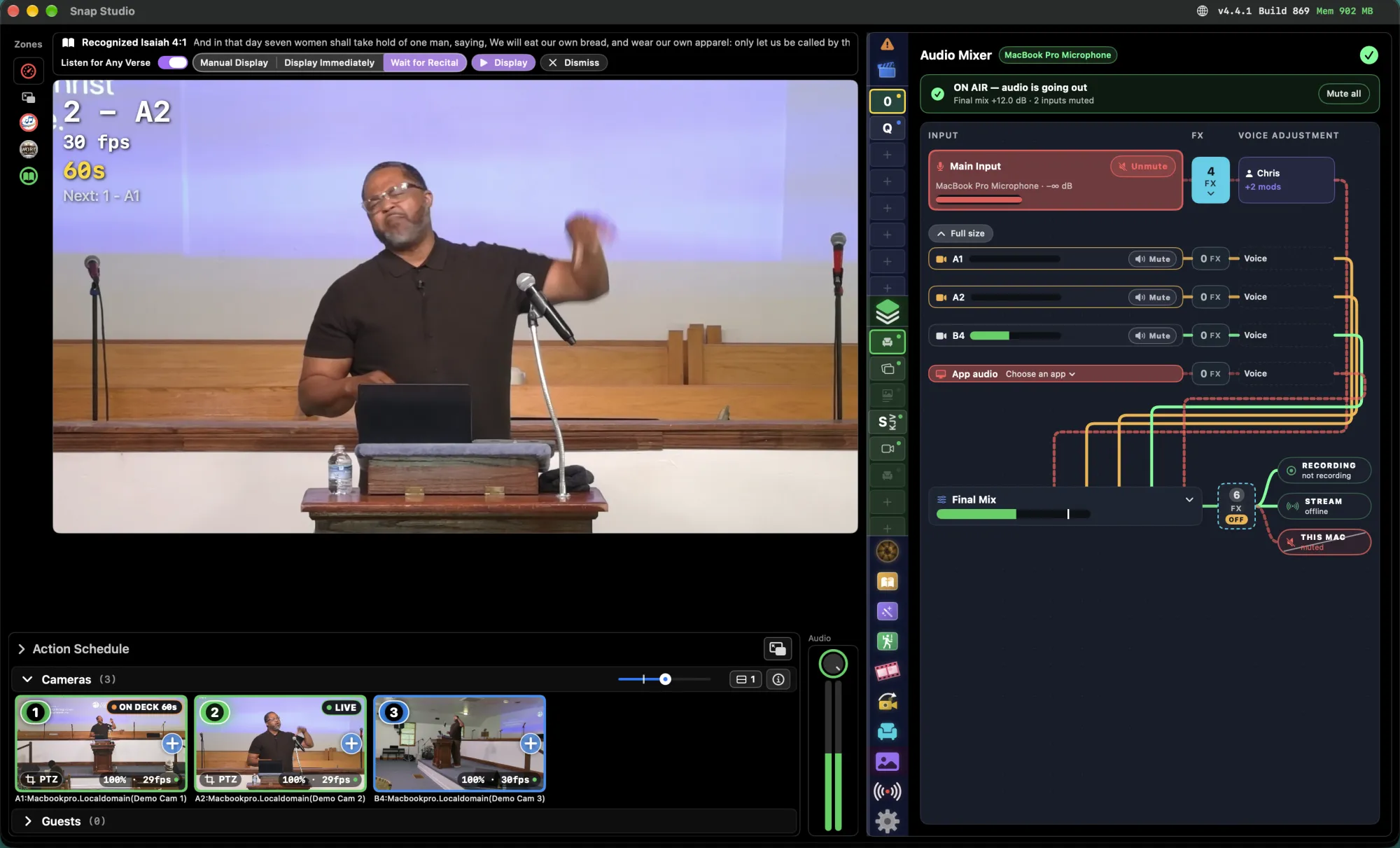
Every camera and microphone in one routing view, with per‑input effects, voice adjustment and a clear ON AIR status before anything goes out.
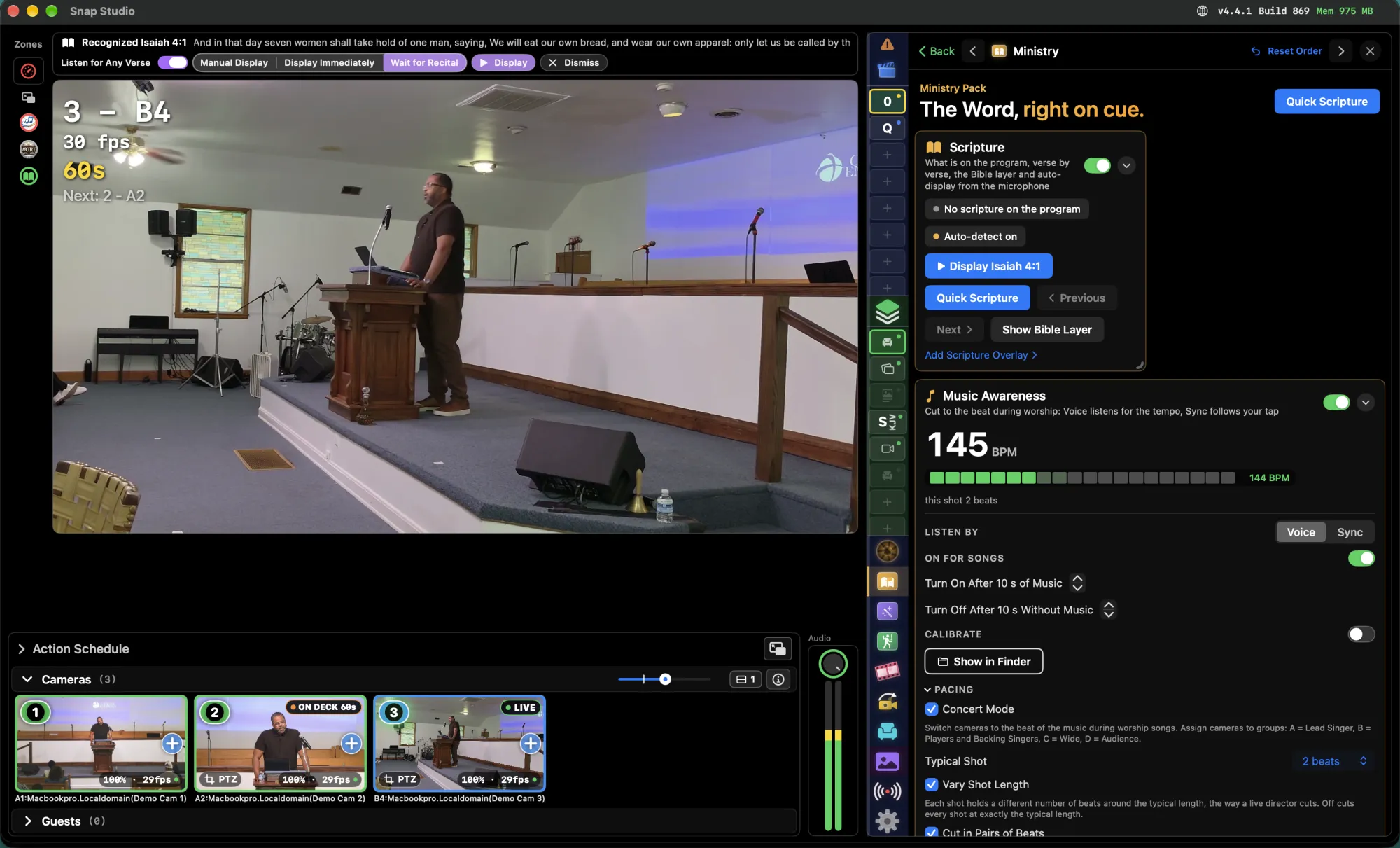
Music Awareness hears the tempo during worship and paces camera cuts to it, with groups for lead singer, players and audience.
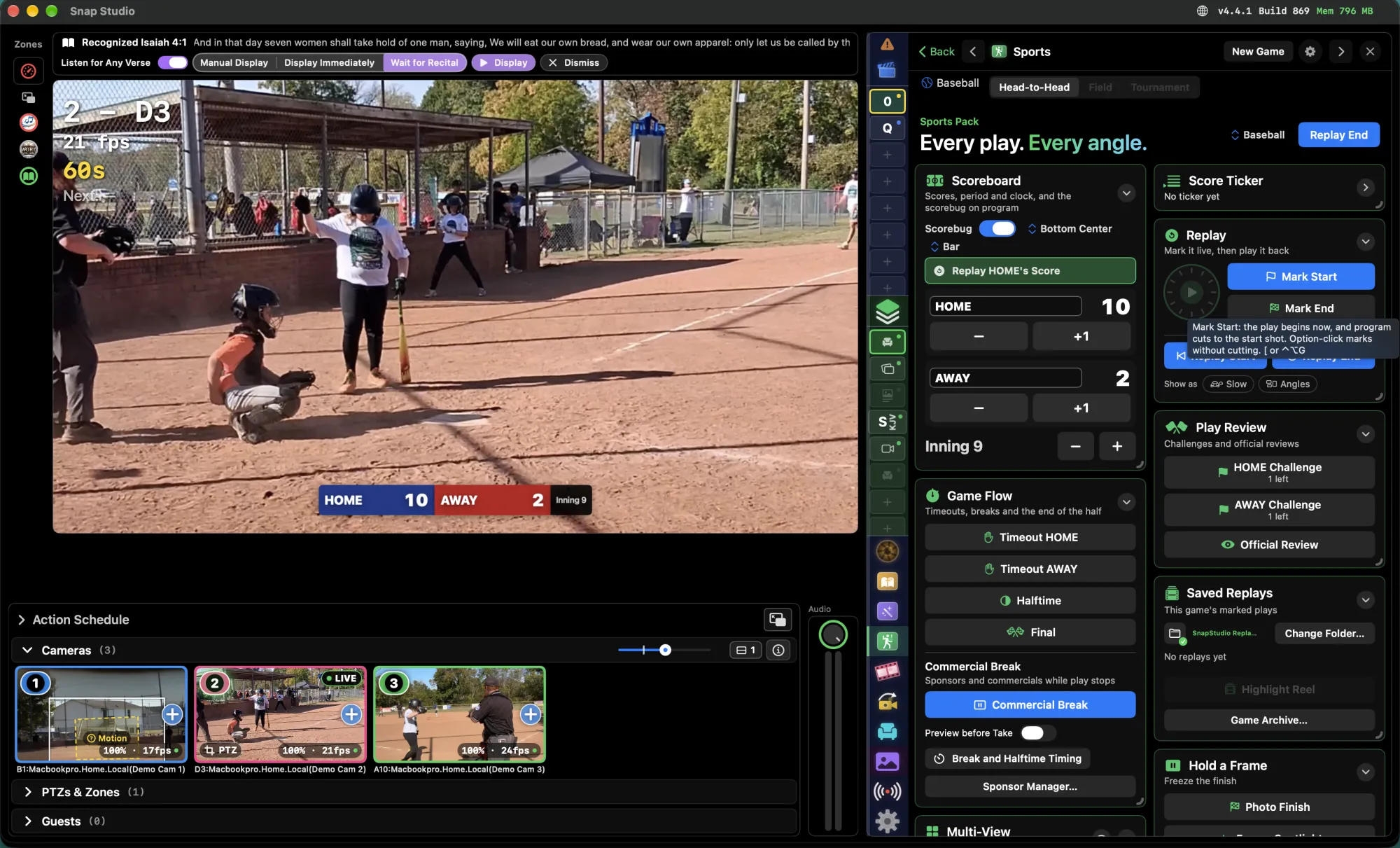
The Sports pack adds a scorebug, game clock, instant replay, challenges and commercial breaks on the same switcher.
Prices from each vendor's website, checked November 2026.
| # | Software | Our Rating | Platform | Pricing | Best For |
|---|---|---|---|---|---|
| 1 | SnapStudio | 5.0 | macOS | $299.00 one‑time | Churches, schools and events run by volunteers; automatic multi‑camera switching |
| 2 | vMix | 4.5 | Windows | $60–$1,200 one‑time, or MAX $50/month | Experienced Windows operators who want deep manual control |
| 3 | OBS Studio | 4.0 | Windows, macOS, Linux | Free, open source | Solo streamers and tinkerers comfortable with plugins and setup |
| 4 | Wirecast | 4.0 | Windows, macOS | Subscription | Cross‑platform teams with a trained operator |
| 5 | Blackmagic ATEM | 4.0 | Windows, macOS (with ATEM hardware) | Free software; ATEM Mini Pro hardware $445 | HDMI camera setups that want a physical switcher |
| 6 | Ecamm Live | 4.0 | macOS | $192–$384/year | Single‑host creators, podcasts and webinars |
| 7 | mimoLive | 4.0 | macOS | Free with watermark; subscription to remove it | Mac broadcasters building custom graphics‑heavy shows |
| 8 | StreamYard | 3.5 | Web browser | Free; paid plans $18.99–$88.99/month | Remote interviews and talk shows with guests joining online |
Start with your situation, not the spec sheet.
The only app here built around the reality of volunteer production teams. Stage Zones and failsafe switching keep the program on a live, occupied shot even when nobody is touching the controls, and iPhones join as tally‑equipped NDI cameras in seconds.
A powerful Windows production suite with a huge feature list. It rewards a trained operator, but the depth can overwhelm a rotating volunteer crew.
Free and flexible, with a large plugin community. Multi‑camera church setups usually need plugins, scripting and someone who enjoys maintaining them.
A long‑standing professional streaming tool that runs on both platforms. Capable, but it is now subscription‑only.
Excellent hardware switchers for HDMI cameras. You are limited by the inputs on the box, and every camera needs a cable run.
A polished Mac app aimed at individual creators streaming from a desk, rather than multi‑camera rooms.
A flexible Mac broadcast tool with strong graphics layers, best for producers who like building shows from the ground up.
Great for bringing remote guests on screen from a browser. Not designed for switching several cameras in one room.
It takes several camera, screen and audio sources, lets you switch and layer them into one program feed, and sends that feed to a stream, a recording or a projector.
SnapStudio, our top pick. Its automatic switching and failsafe keep the program on a good shot when nobody is touching the controls, which is the everyday reality for rotating volunteer crews.
vMix, for operators willing to learn it. OBS Studio is the zero‑cost alternative if you are comfortable with plugins and setup.
With SnapStudio, yes: its companion app turns an iPhone into an NDI camera with tally and talkback. Several other tools accept phones through third‑party NDI apps.
Prices and platforms were taken from each vendor's website in November 2026 and may change. Check the vendor before buying.
Video Production Reviews is published by Lumena Productions, the maker of SnapStudio. Ratings are our own editorial opinion. Prices and platforms were taken from each vendor's website in November 2026 and may change; check the vendor before buying. All trademarks belong to their owners.